Guarantee Config
role : OMIC
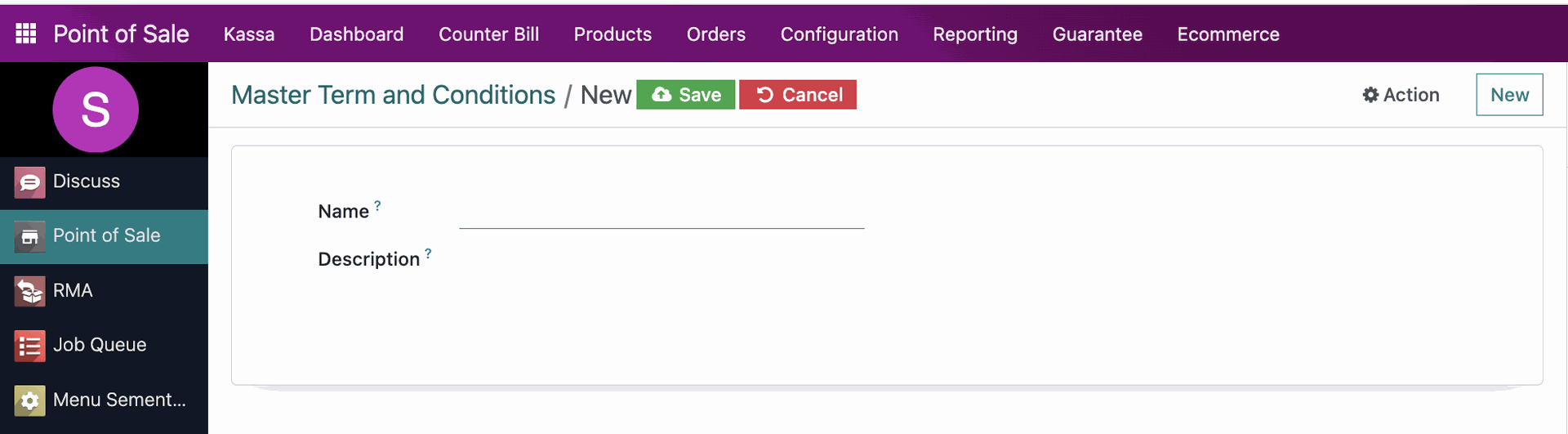
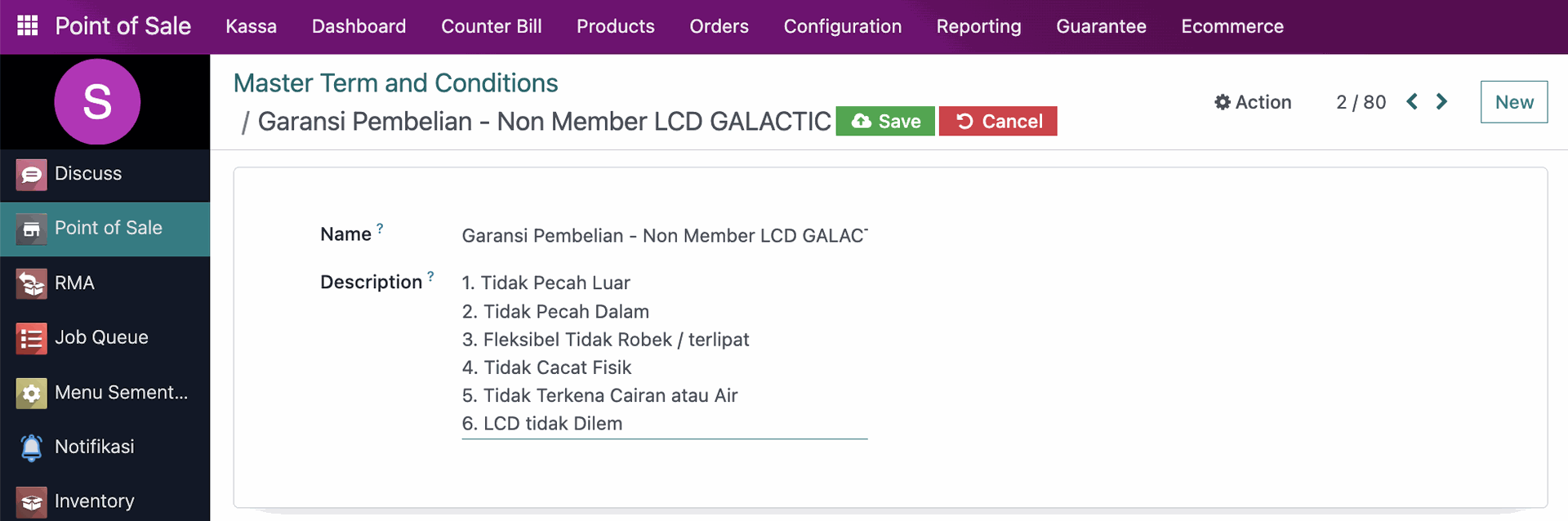
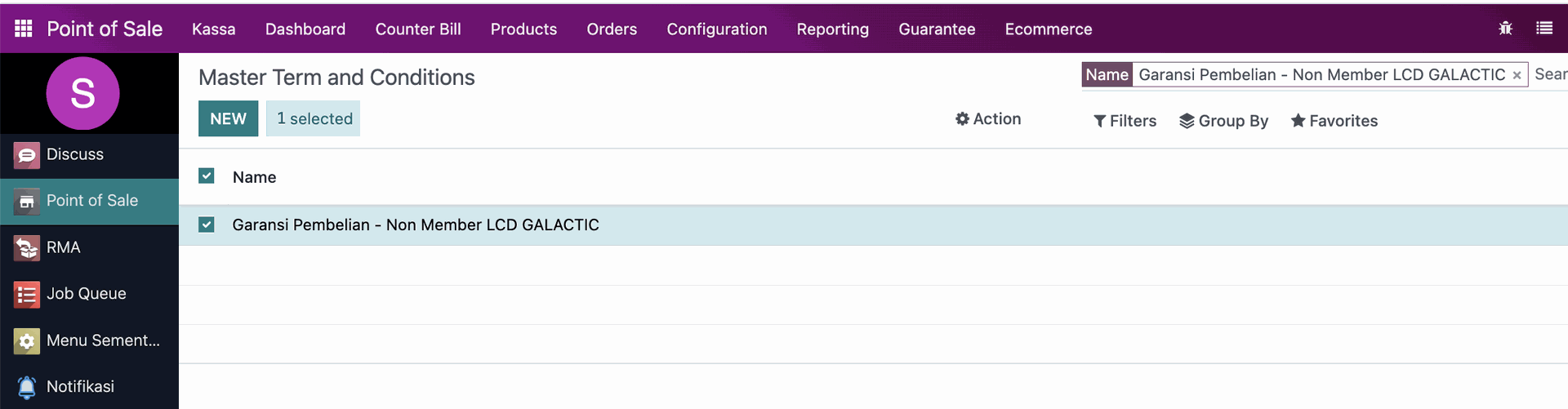
Cara pembuatan Master TnC
1. masuk ke modul Point of Sale
2. klik menu Guarantee
3. klik Master Term and Conditions
4. klik New untuk membuat konfigurasi TnC baru
5. masukkan nama dan deskripsi
6. klik Save untuk menyimpan data

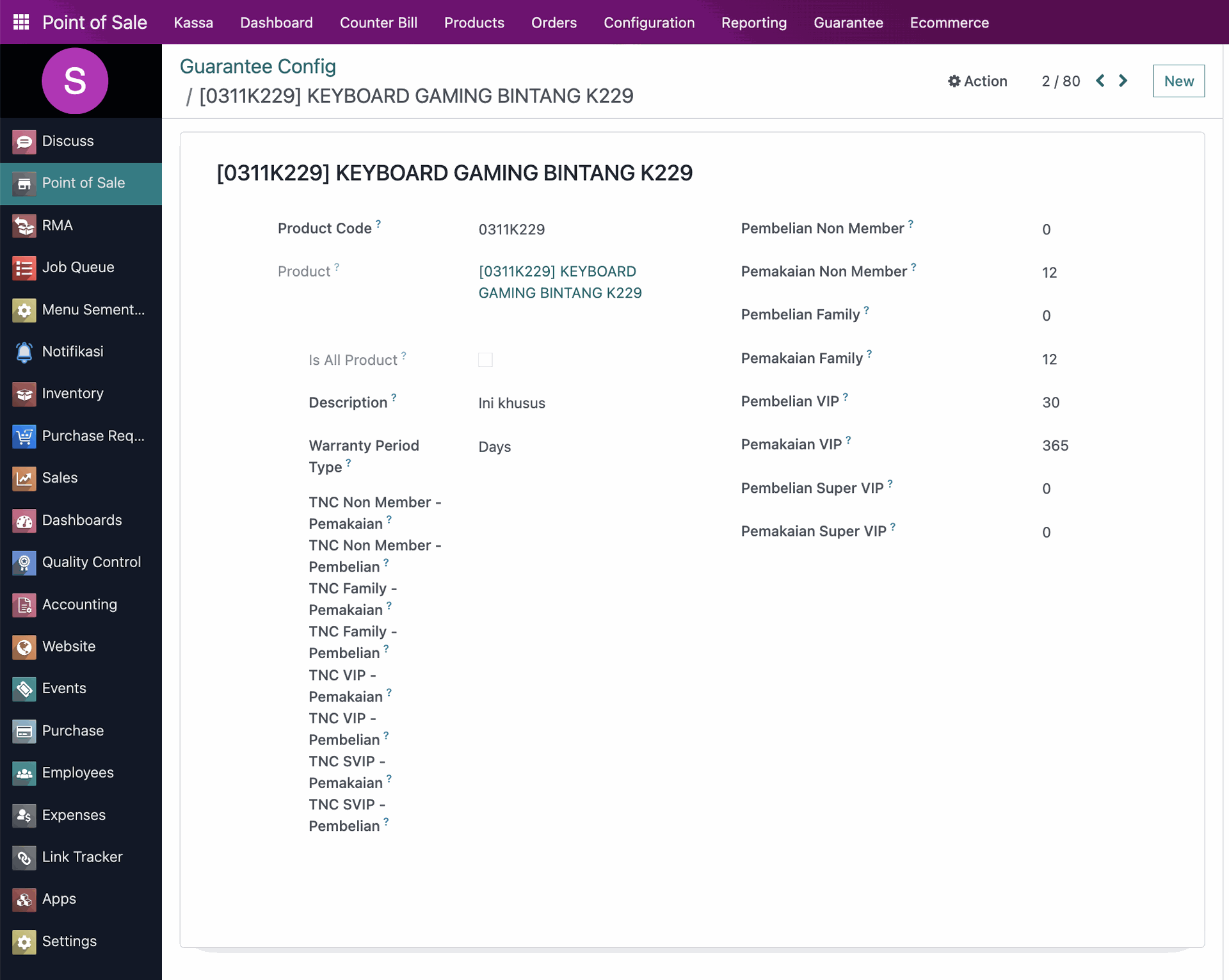
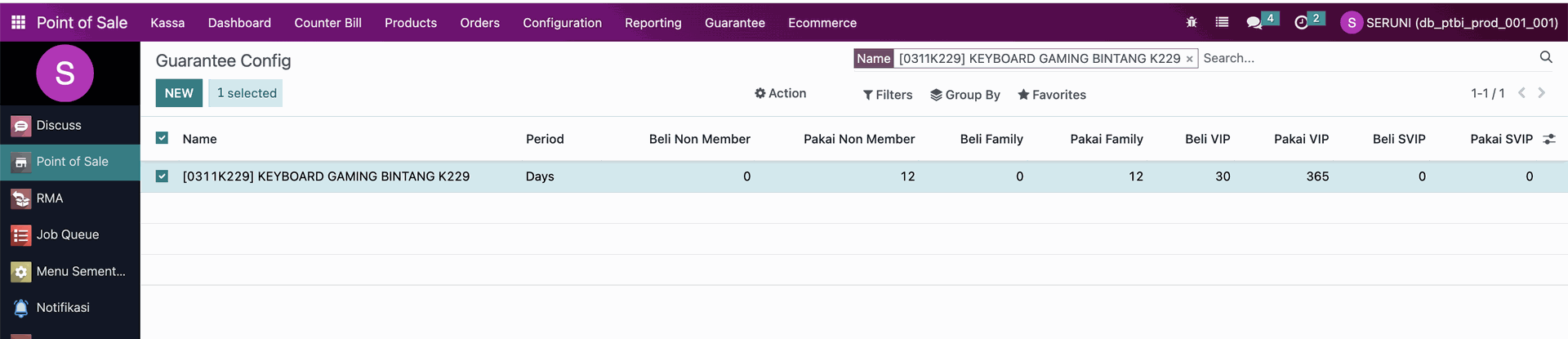
Cara pembuatan konfigurasi garansi
1. masuk ke modul Point of Sale
2. klik menu Guarantee
3. klik Guarantee Cinfig
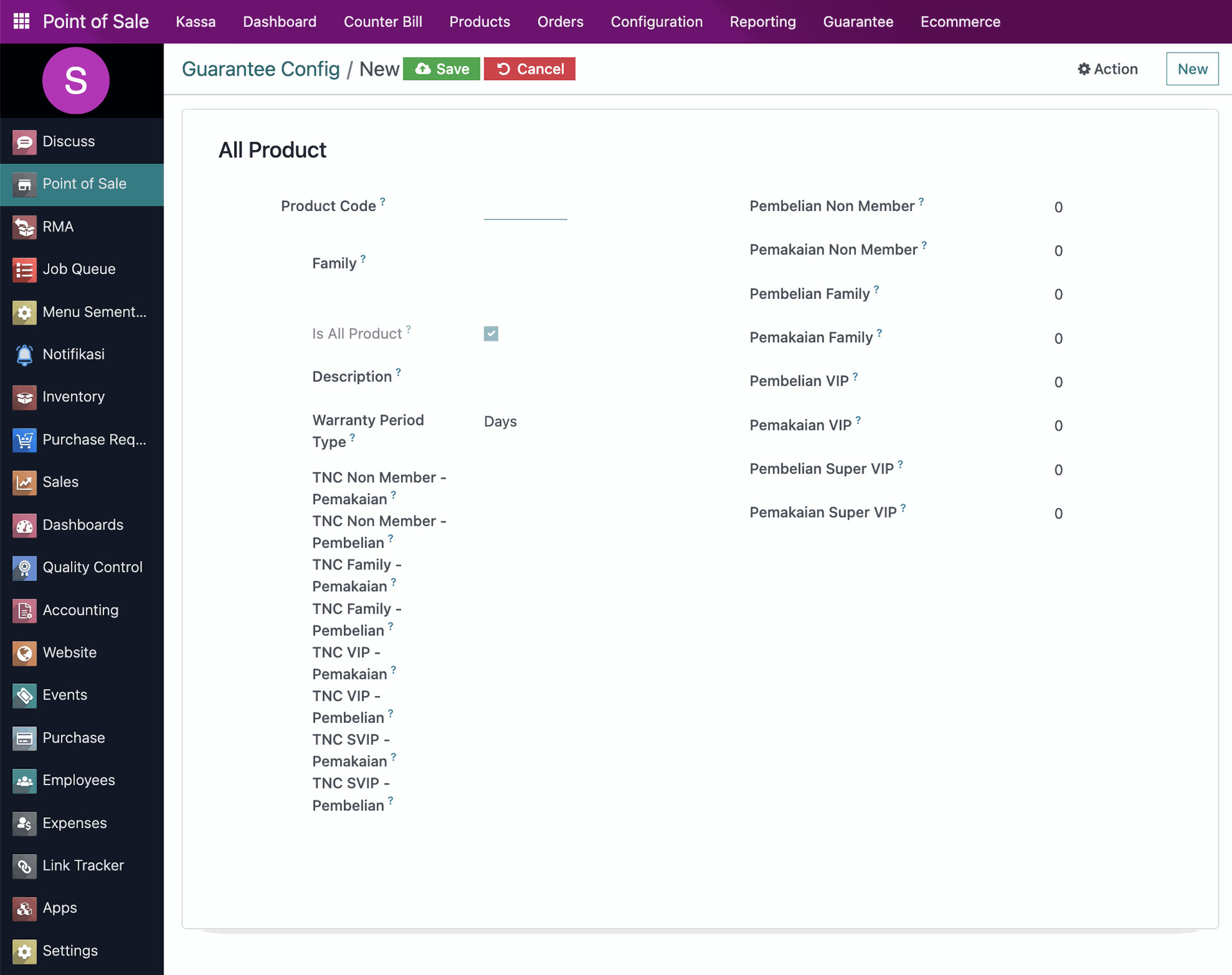
4. klik New untuk membuat konfigurasi baru
5. masukkan data yang dibutuhkan
6. klik Save untuk menyimpan data

Version
1.0
Implemented By
Seruni
Published Date
12 May 2026

Media heading
Use this snippet to build various types of components that feature a left- or right-aligned image alongside textual content. Duplicate the element to create a list that fits your needs.
Discover
Event heading
Speakers from all over the world will join our experts to give inspiring talks on various topics. Stay on top of the latest business management trends & technologies

Post heading
Use this component for creating a list of featured elements to which you want to bring attention.
Continue reading